Tag Archive for 'Client-side'

Hide WordPress Visual Editor Tab 1.01

Hide WordPress Visual Editor Tab has been updated to the 1.01 version to make it also work when creating new posts and pages. In the previous (1.0) version, it just worked while editing already created posts and pages.
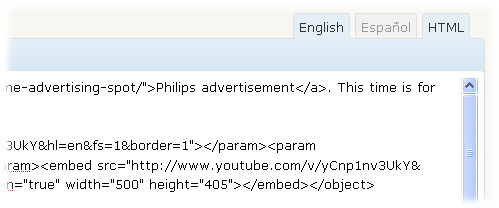
Remove_Visual_Tab_Removed

To download the latest version, please visit the original Hide WordPress Visual Editor Tab post.
Support appreciated!

All the content offered in this website is, except noted otherwise, of free nature. This means you can share it wherever you want if you do it freely and stating its source.

If it was useful for you and you’d like to contribute, you can make a donation or, at least, visit one of our advertisers of your choice; they are all around the site.

Incoming search terms for the article:

  • Share/Bookmark

How to remove the “Visual” tab from the WordPress post/page editor

There are lots of people (like me) who just use the HTML mode of the WordPress Editor… Sometimes, you cannot just disable the WYSIWYG editor (in my case, I cannot do it because I use the qTranslate plugin to enable the creation of posts in different languages)… For this people, having the Visual editor tab, might be a very big problem…

Lets say you’re writing a post in the HTML tab…

Remove_Visual_Tab_HTML

And you click by mistake the Visual tab…

Keep reading…

Support appreciated!

All the content offered in this website is, except noted otherwise, of free nature. This means you can share it wherever you want if you do it freely and stating its source.

If it was useful for you and you’d like to contribute, you can make a donation or, at least, visit one of our advertisers of your choice; they are all around the site.

Incoming search terms for the article:

  • Share/Bookmark