Guitar Trainer

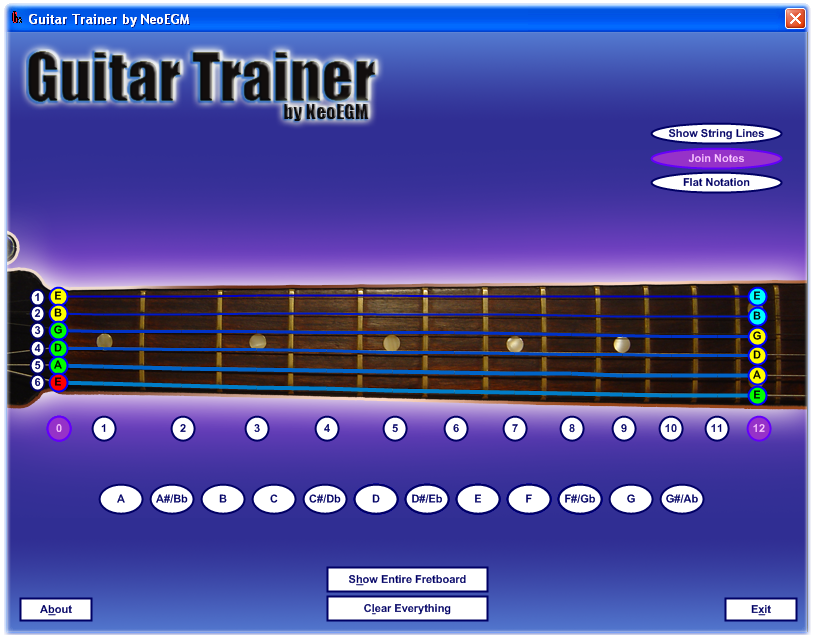
Guitar Trainer is a program I’ve written to make easier the learning of the position of the different notes in the guitar fretboard. There are lots of features pending to be implemented (including sound, different scales, guessing game by position and by sound, etc.), but it’s quite useful with its current functionality.
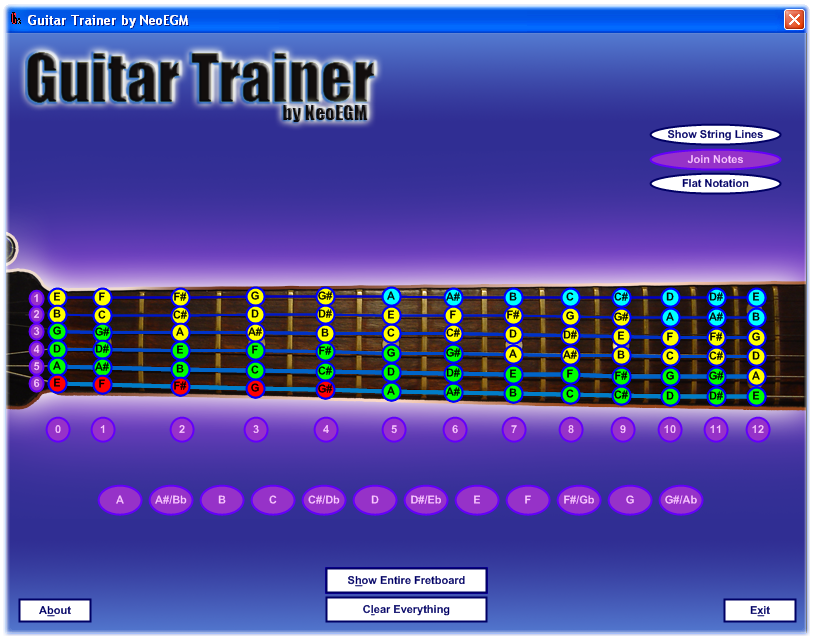
GuitarTrainer_FullFretboard

The fretboard starts empty and you can click any space you wish to show the corresponding notes and find patterns. Each note is colored corresponding to its octave. For example, you can explore the different scales:
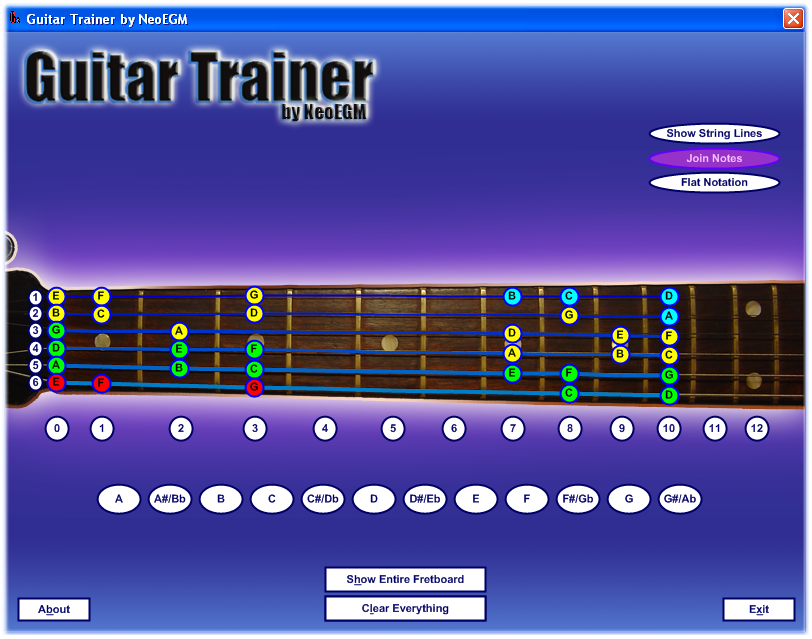
GuitarTrainer_CScale

Watch the relationship between different strings…
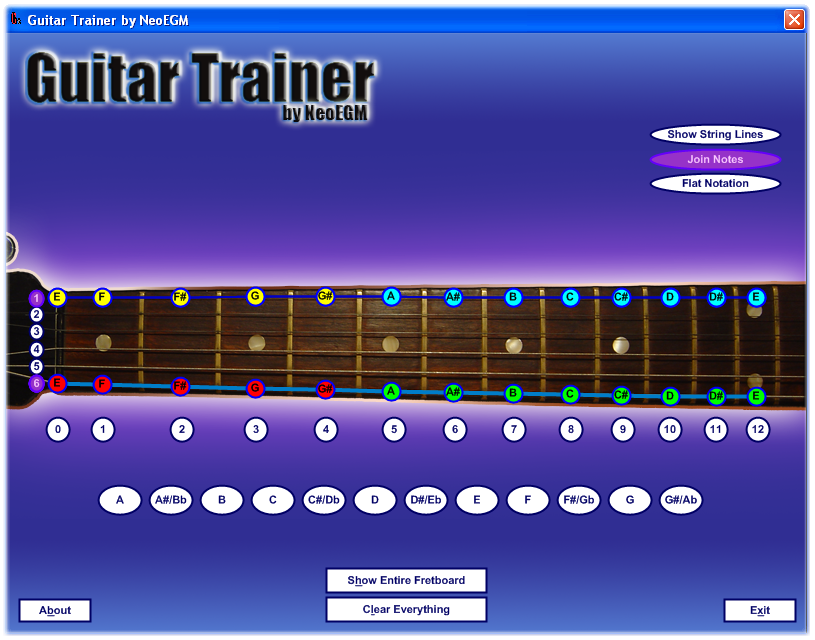
GuitarTrainer_2Strings

O between frets…

GuitarTrainer_2Frets

Another useful option is analyzing the position of given notes in the entire fretboard…
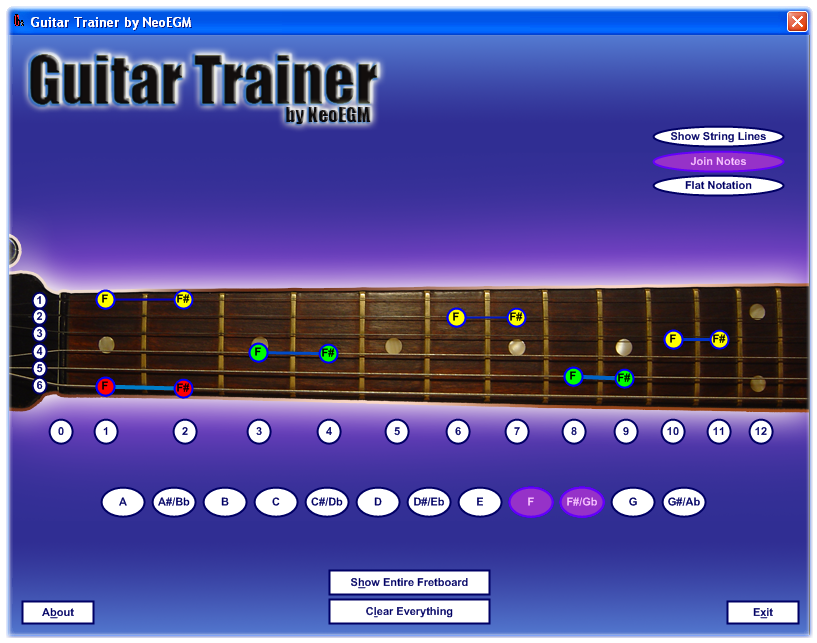
GuitarTrainer_2Notes


GNU GPL v3 Guitar Trainer is licensed under the GNU GPL v3 (attached)…
GuitarTrainer_About

And now, finally, the links…

Support appreciated!

All the content offered in this website is, except noted otherwise, of free nature. This means you can share it wherever you want if you do it freely and stating its source.

If it was useful for you and you’d like to contribute, you can make a donation or, at least, visit one of our advertisers of your choice; they are all around the site.

Incoming search terms for the article:

Related posts:

  1. YouTube Downloader (tool to download YouTube videos) with source code
  2. YouTube Downloader 1.2
  3. UpTime (How much time has the computer been powered on)
  4. Wake On LAN (Remotely power on a computer)
  5. YouTube Downloader 1.2.1


12 Responses to “Guitar Trainer”


  • this program is really useful. In my opinion it only lacks the possibility to choose a certain tuning such as drop-c, drop-d and other. Are you still working on this little tool? I like it a lot.

  • You cannot call me a professional musician since I do not earn a living by my playing; however, I play live weekly, and have played for many years.

    This little program is helping me teach my 8 year old daughter to play.

    I will encourage you to continue with your idea for “sound” on the notes. This would be very helpful as the musician depends upon their sense of ear to play in many situations.

    Also, one idea would be a “chord”. Press G and get the chord of G, located in three separate positions on the neck from nut to 12th fret.

    Good program ! 10/10 in my book. Thanks.

    • Thanks Richard for your comment!

      I’m very glad it’s been useful for you!

      I’ll take into account what you’ve just said me…
      I wanted, also, to include the possibility of analysing the different common scales and their positions…

      Greetings!

  • Good program, Thank you!!!

    Is there anything like that for windows mobile???

  • Nice start.

    Do you think you’ll get to chords? They could be displayed at their respective positions, with options to show all positions across the fretboard, and highlighted positions by clicking on a fret. Toggle note names (e.g. A-C-E), voice name (e.g. 1-3-5), and finger use.

    Same for scales.

    Possible to import Tab software to show notes mapped as it plays/steps? Fret position important. Show positions blocks. With chord identification on, toggle voice name (e.g. 1-3-5).

  • This is such a great little tool. I remember trying to learn the notes on the fretboard, and just writing them out on paper several times a day. It took me ages! This is so much easier haha

  • This program ROCKS!! Hope to see an update someday!! ♫♫♫♫♫

Leave a Reply